
Guide to PMO Software: How to Select the Right Project Management Tool for Your Organization
TL;DR
PMO software is a platform for assisting PMOs with project and portfolio planning and optimization across the enterprise. Its main purpose is to ensure strategic alignment with business objectives. Together with project portfolio management practices, these tools help PMOs solidify their role as a partner to leadership in carrying out organizational objectives, rather than simply acting as a compliance enforcer and administrator.
Project management offices were once administrators and compliance enforcers. That is no longer that case. Today’s PMOs keep up with the latest advances. They standardize and streamline processes across the organization. They oversee entire project lifecycles. They grapple with multiple projects.
The modern PMO uses project portfolio management to assess ROI and risk, taking into account the full range of an organization’s initiatives. It oversees support roles and project managers, coordinating all departmental efforts and project teams.
But the project portfolio management process isn’t always seamless. Plus, PMOs constantly need to prove their value to C-suite executives and other stakeholders. That’s why you need the right PMO software. PMO software supports project portfolio management capabilities and allows the project management office to oversee initiatives.
Here’s your guide for choosing the best portfolio project management tools.
What Is a Project Management Office (PMO)?
Before we get into what the PMO does now, let’s take a quick look at what project management offices used to do.
At one time, it served an entirely administrative function, acting in a supportive capacity. It was tactical rather than strategic, tracking project execution, enforcing methodologies and compliance, and serving as a documentation center.
Today’s PMO is far more robust. The roles are similar, including directors, managers, coordinators, and analysts. But the modern office goes beyond project governance and rules enforcement to value creation and strategic alignment.
The modern PMO oversees the entirety of an organization’s project portfolios and prioritizes projects according to their alignment with company goals. It tracks and measures progress to drive continuous improvement. It oversees all project planning-related activities and standardizes practices across the organization. It assesses risks and delegates resources.
Clearly, PMOs are responsible for a lot. And they can’t do it alone.
That’s why they need project management software.
What Are PMO Tools?
PMO software’s central function is to aid the project management office in optimizing project portfolios delivering exemplary portfolio and project outcomes, while ensuring alignment with strategic organizational goals. It helps organizations lighten administrative loads, but it goes far beyond that.
Its main tasks include:
• Supporting project governance and intake
• Centralizing and standardizing project management practices
• Handling tedious and time-consuming administrative work
• Helping transform PMOs into strategic entities
• Streamlining operations
• Going beyond the iron triangle (on-budget, on-time, and on-scope) to track on holistic project performance
• Aggregating portfolio data and provides comprehensive reporting and dashboards
• Providing detailed insights into both individual project outcomes and portfolio progress
While there are different varieties of PMO tools, these are the main functions most platforms offer.
Types of PMO Tools
There are three main types of PMO tools: collaborative work management, project portfolio management, and strategic portfolio management software.
Collaborative Work Management Tools
CWM tools essentially track project tasks. They are usually equipped with workflow automation features for effective project management.
While the software’s main job is to track project progress, it also supports collaboration, focusing on successful communication and coordination. Compared with the other solutions in this list, it is highly basic.
Project Portfolio Management Tools
If you need to monitor progress while prioritizing initiatives, managing multiple projects, and aligning projects with larger company goals, PPM tools are the best tool.
Project portfolio management is an approach for evaluating and prioritizing projects across businesses. PPM software gives you tools for resource management, risk management, reporting, scenario planning, and much more. It is a more comprehensive solution than CWM software.
Enterprise Project Management Office Tools
For larger and more complex project portfolios, consider using EPMO tools. This is broader software for governing programs and portfolios across the company.
Strategic Portfolio Management Tools
Strategic project portfolio management software focuses on aligning portfolios with long-term strategy and impact. PPM and SPM often go hand in hand, with SPM focusing on maximizing value and offering a roadmap for PPM. SPM tools offer features like strategy mapping and project portfolio optimization, toward the goal of maximizing value.
How to Choose the Best Software for Project Management Offices
PMOs must move beyond simple task trackers if they want to be strategic partners and leaders. You need something more than a spreadsheet with your project status; instead, you must employ powerful tools with benefits like extensive reporting, risk management, resource management, customization, and more. Here’s how to get started.
Assess your PMO requirements
Identify your organization’s key requirements for a PPM platform. Pay attention to how it functions now, as well as your expectations for the future of your organization. You will likely have a range of needs, including resource management, risk management, collaboration, and reporting, among others.
It’s also important to think about the framework or methodology you follow: agile, waterfall, hybrid, and so on. The size of your organization and complexity of your projects matter as well.
Compare features
Diverse organizations have wide-ranging needs. Spend ample time researching PMO solutions to find the tool that is the best fit for you. Make a list of must-have and nice-to-have features so you can compare different options. Consider how features connect to your strategic goals and give you what you need to link daily activities to high-level objectives. There are some newer tools and features that could aid your organization, too, such as AI predictions.
Assess usability
Usability is one of the most important aspects of a PMO platforms. After all, there’s no point in adopting software that no one can use.
Look into various platforms’ usability and overall user experience. Consider whether they offer training, onboarding, and support to help your teams get up to speed.
Review industry-specific requirements and features
Many industries have specific requirements for compliance and other features. For example, if you work in healthcare, you need your platform to be HIPAA-compliant and provide audit trails. Meanwhile, in software development, you would probably want features such as Jira integrations and sprint planning. When you’re reviewing prospective PMO platforms, make sure you account for these needs.
Consider scalability
You need software that will continue to function optimally as your organization grows. You must be able to accommodate large volumes of data with expanding project portfolios, growing user bases, and increasing complexity. This is why scalability matters so much for your PMO software solution.
Evaluate customization needs
The portfolio project management tools fit in with the particularities and intricacies of your individual workflows. They are designed for your needs, without the burden of complex features you don’t need.
Customization means matching the PMO platform to your objectives and unique workflows. You won’t have to rely on generic tools and strain to find workarounds. Plus, by opting for a customizable tool, you are also supporting your organization’s growth.
Assess integration needs
Your platform should integrate with your existing systems, such as your enterprise resource planning platform, customer relationship management system, agile tools, finance systems, communication tools, and others. Before you invest in a tool, you should know how well it connects and functions with your other tools. Data must flow seamlessly between your various systems so you can establish a single source of truth for your organization and its various teams.
Consider pricing
Pricing is, of course, something to consider. Remember: The lowest-cost solution won’t always be the best option—it could give you a lower ROI—but the highest-cost one isn’t necessarily the right choice, either. You want a tool that fits into your budget but won’t have to be replaced because it’s not as modern as you need. You want something that delivers a strong ROI and won’t break down with a short time frame.
Read testimonials and case studies
One of the best ways to get a sense of how well a PMO software solution will work for your office or organization is to learn about other users’ experiences. Review testimonials and case studies, which are usually available on vendors’ websites. If they’re not, ask the vendor if they can give you some resources.
Why Do You Need a Dedicated PMO Software Tool?: Benefits for Managing Projects and Portfolios
PMO software solutions offer numerous benefits for strategic planning and overall project success, including:
Centralized Management
Gain greater visibility into project statuses, performance, KPIs, and resources. PMO management software acts as a centralized hub for tracking all your projects and portfolios, storing vital information, providing critical, real-time data, and giving teams and stakeholders access to essential information.
Platforms that integrate seamlessly with your other systems enhance this feature, essentially giving you an all-in-one command center.
Efficiency and Productivity
This dovetails into another important feature: efficiency. A PMO platform centralizes your data, meaning team members avoid having to search for the information they need. It also automates and streamlines tasks and workflows. This allows teams to focus on activities that require human intelligences and leaves the software to complete routine and repetitive tasks and processes.
You will also be better equipped to stay on top of deadlines. Ultimately, these features lead to overall increased productivity and efficiency, as well as quicker project completion.
Better Decision-Making
PMO software takes guesswork out of the equation, allowing you to rely on real-time data and delivering valuable insights. Advanced analytics and reporting features give stakeholders and PMOs the information they need to make data-backed decisions. Your strategies will be well-informed and you can proactively manage risks and obstacles.
Resource Allocation
Know what resources you have and how they are being used across the organization. Project portfolio management software helps you manage resources and capacity across projects, programs, and portfolios. You will better manage resources efficiently across teams, thereby ensuring that you are neither over- or under-utilizing team members, tools, and technologies. You can also help reduce burnout and ensure that you’re optimizing your assets.
Increased Strategic Alignment
One of the central purposes of PMO software is to strategically align projects with the organization’s main business objectives. Each feature included in the platform in some way furthers this goal, from project prioritization and resource management to dashboards and reporting.
By adopting a comprehensive PMO tool, teams achieve stronger strategic alignment, allowing them to ensure projects correspond to their goals.
Stronger Collaboration
PMO software solutions enhance collaboration and communication among teams, leaders, and stakeholders. Collaboration tools such as centralized workspaces, shared calendars, visualizations, timelines, live dashboards, workflow and approval automations, and built-in, shared workspaces allow you to connect more effectively. Digital hubs, real-time updates, and document sharing further enhance team collaboration.
Together, these features consolidate scattered documents, messages, emails, and other communications into a single source, allowing teams and stakeholders to work together smoothly.
Risk Reduction
Improve risk management by gaining predictive insights from your platform. PMO software allows you to anticipate and proactively manage risks. It tracks potential problems before they turn into genuine concerns, preventing budget overruns, timelines delays, and much more.
These platforms centralize data and standardize processes. Stakeholders get real-time data and visibility so you can identify threats early. You will also receive automated alerts about issues before they escalate and can visualize data patterns via automated analyses and dynamic dashboards, which deliver real-time and up-to-date metrics.
Portfolio Project Management Features to Look for
When you’re evaluating solutions, look for these portfolio management features to help you meet your goals.
Project Prioritization and Planning
The purpose of project portfolio management is to align projects with business goals. You need tools to help you prioritize projects effectively. PPM software in particular offers centralized intake, resource capacity mapping, weighted scoring, and additional features to help you with the process, helping ensure you meet your portfolio project objectives.
Resource Management and Resource Capacity Planning
A project portfolio management tool helps you oversee and manage resource capacity across projects.
Resource management features help improve productivity, as well as assist with budgeting and risk management. By tracking skills and tools availability, you can better understand what resources you have and how to best expend them. These features help you assess resource availability and resource utilization. You will be well equipped to forecast demand and visualize problems.
You will also want capacity planning features to understand the demands of forthcoming projects and determine whether you are able to accommodate these initiatives.
Scheduling
Scheduling may seem rudimentary, but it is important for managing project timelines. When you are selecting a PMO platform, consider how robust the scheduling features are. They should enable you to optimize project times across the organization and various portfolios, programs, and projects.
You may want visual interfaces for scheduling, including Gantt charts and Kanban boards, along with calendars, schedules, and roadmaps. With a unified view of project timelines, you can better visualize dependencies and see how individual plans affect the whole organization.
Task Management
Task tracking features improve workflow management, helping you manage daily activities and connecting them to strategy. Look for basic features, such as task assigning, timelines, cross-project views, and auto-notifications, along with more advanced ones, including progress monitoring, dependency tracking, AI insights, and automated workflows.
Teams may also appreciate Gantt charts, Kanban boards, and interactive timelines. Consider third-party integrations that might be useful for task-tracking as well.
Scenario Planning
You can’t see the future, but you can plan for it. Simulate a range of future scenarios with scenario planning features. This is a essential feature in PMO software tools.
Through what-if scenario planning, you can test various events that might occur and disrupt the project lifecycle. You will be able to evaluate the effects of resource problems, budget cuts, staffing shortages, and other plausible risks in a sandbox environment before the do real harm to your initiatives. You will spot and address vulnerabilities prior to them escalating.
Risk Management
PMO software should support issue and risk management.
The platform allows you to perform proactive risk detection. Leveraging risk management features like mitigation planning, tracking systems, alerts, centralized risk registers, predictive analytics, visual dashboards, reporting, and, of course, scenario planning, you can identify and evaluate potential problems, allowing you to formulate a mitigation plan.
Look for tools that facilitate early threat detection for cataloguing and categorize these possible disruptions.
Budgeting
Of course, you need control over your finances. But budgeting isn’t always easy. Fortunately, PMO software solutions help you track planned versus actual costs. They give you visibility into your entire portfolio (or portfolios). You will gain real-time data to make decisions that impact your financial health, see how and where you’re spending money, detect cost overruns before they become an issue, and manage your finances more successfully and effectively.
Budgeting features also curb scope creep—you can catch it before it derails your portfolio. They take the guesswork out of financial planning, allowing you to keep track of your spending, understand financial trends, and build trust.
Reporting and Analytics
Advanced analytics and reporting are critical features of PMO software. When you leverage these tools, your office can provide real-time insights into project performance. Thanks to these features, you will be able to conduct a full portfolio analysis, glean essential project data, and attain real-time project progress monitoring.
In addition to project delivery performance metrics, you will gain customized metrics that give you insight into resource utilization, risks, financial trends, and much more. With customizable metrics, you can make better decisions. Moreover, you will be able to use predictive analytics, using existing data, for forecasting risks and scenario planning.
Many PPM tools come with exhaustive dashboards and reporting. This drives transparency.
Collaboration and Communication
PMO tools must facilitate stronger collaboration and communication. Acting as a single source of truth, your PPM platform centralizes channels of communication, consolidating discussions, chats, documents, and more from disparate resources, such as emails, Slack, videoconferencing transcripts, and documents into one platform.
Not only does this provide context for planning, but it also keeps teams aligned on goals and helps break down silos. Clear communication facilitates stronger collaboration, ensuring everyone is in the loop.
Automation and Integration
You need an robust environment for your workflows, with integrations from additional business applications, to reduce repetitive tasks and ensure seamless project execution. Your PPM software should offer integrations with your CRM, ERP, Jira, time tracking tools, business intelligence platforms, accounting tools, and collaboration suites.
There should also be APIs for greater customization and automated workflows for tasks, proposals, sign-offs, template generation, and reminders.
Compliance and Governance
Solid PPM practices ensure that your initiatives align with your business goals, adhere to organizational standards, and meet regulations in any location or industry in which you operate. Look for strong compliance and governance features, such as audit trails and logs for transparency, approvals, and modifications; controls for aligning projects with policies and regulations; risk tracking; compliance registers; role-based access control; and more.
Together, these features allow you to maintain control over your portfolios and adhere to compliance measures.
Security
Security is paramount when your grappling with sensitive data. The best PMO platforms offer robust security features, such as:
• SOC2 Type 2-certification
• ISO compliance
• HIPAA compliance
• GDPR compliance
• Reportable audit detail logs
• Data encryption
• Access controls (including multi-factor authentication and single sign-on integration)
• Backup and recovery protocols
• API management for third-party integrations
These features will prove critical in protecting your data and your consumers’ information.
Project Management Methodology Support
When you manage multiple projects, particularly at the portfolio level, it’s rare that you can rely solely on a singular approach. You must have a flexible tool for supporting multiple methodologies, including agile, waterfall, or hybrid.
Modern enterprises have many different ways of working and often apply different approaches to individual projects. A strong PMO tool allows you to apply multiple methodologies and track project progress using each approach’s metrics.
Customization
Out-of-the-box features don’t work for all organizations. It is helpful to have customization options that fit into your workflows, processes, organization makeup, and goals. Features like adjustable fields, layouts, governance, metrics, prioritization models, and data fields allow you to tailor your platform to your specific needs.
Scalability
Perhaps a particular tool meets your needs now, but will it in the future? You need a solution that will grow and adapt with you. You may gain more team members, expand your data pool and resources, and continue to take on an increasing number of portfolio and projects. Your initiatives could become more complex. Your current tool might not cut it.
Choose a platform that will adapt to evolving currents and requirements. Scalability is a must for growing and maturing organizations.
Training and Onboarding
Does the vendor you’re considering offer training and onboarding support? That’s essential for helping your teams get up to speed. Many PPM tools have a wide array of complex features that may not be intuitive to all team members. Ensuring everyone using the new tool understands it also allows you to maximize your ROI so you’re actually taking advantage of all the features the platform offers and not letting anything go to waste.
A structured onboarding and support process can also help leadership and teams overcome any resistance to change. People can be set in their ways and often need to see new tools in action to full understand their benefits.
Conclusion: Why Are PMO Software Tools So Important Now?
Move from project tracking to delivering strategic value. Effective PMOs improve organizational and operational efficiency through standardized processes, meet superior project management standards, manage complex projects, and meet your strategic objectives.
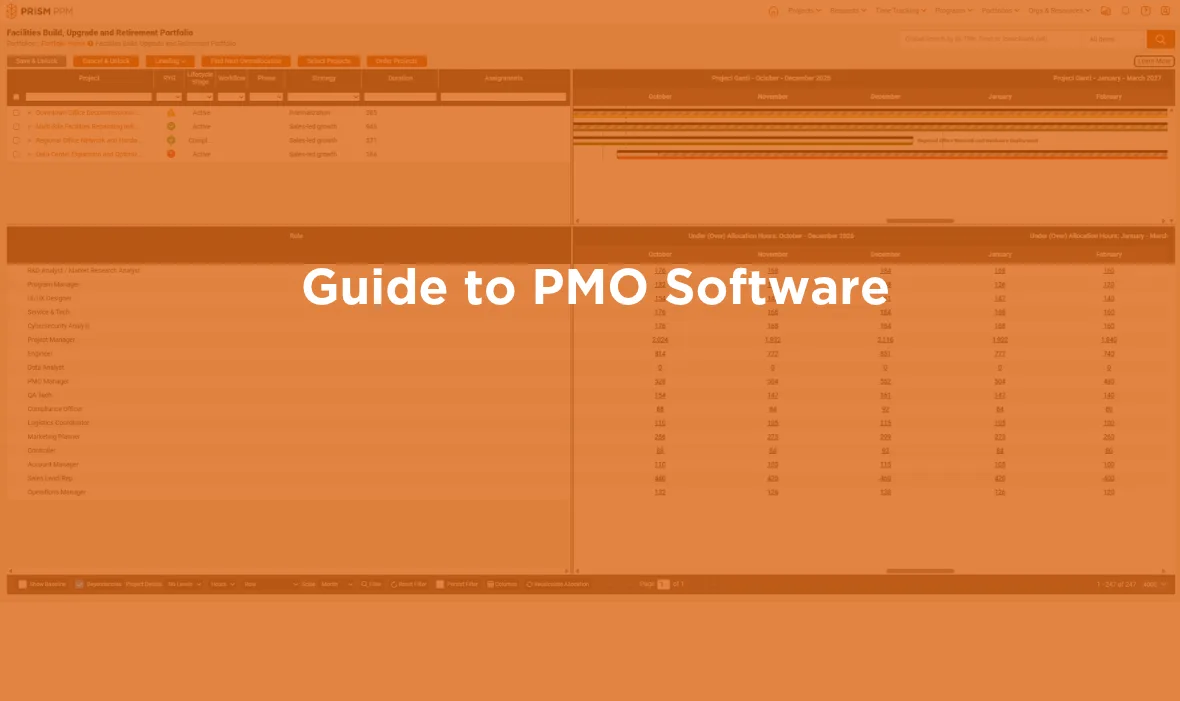
More than ever before, PMO software is crucial for centralizing projects across the organizing and ensuring that every initiative connects with your business goals. You need PPM software to evaluate and prioritize projects across the organization. These tools transform project offices into strategic entities, critical for spearheading change across your organization.